
Premium feature
Challenges, Sagas, Lists, Grids, Favorites and Finished are Premium only. The Achievements tab is also available on the free plan. Learn about Premium.
1. Open the Sagas tab
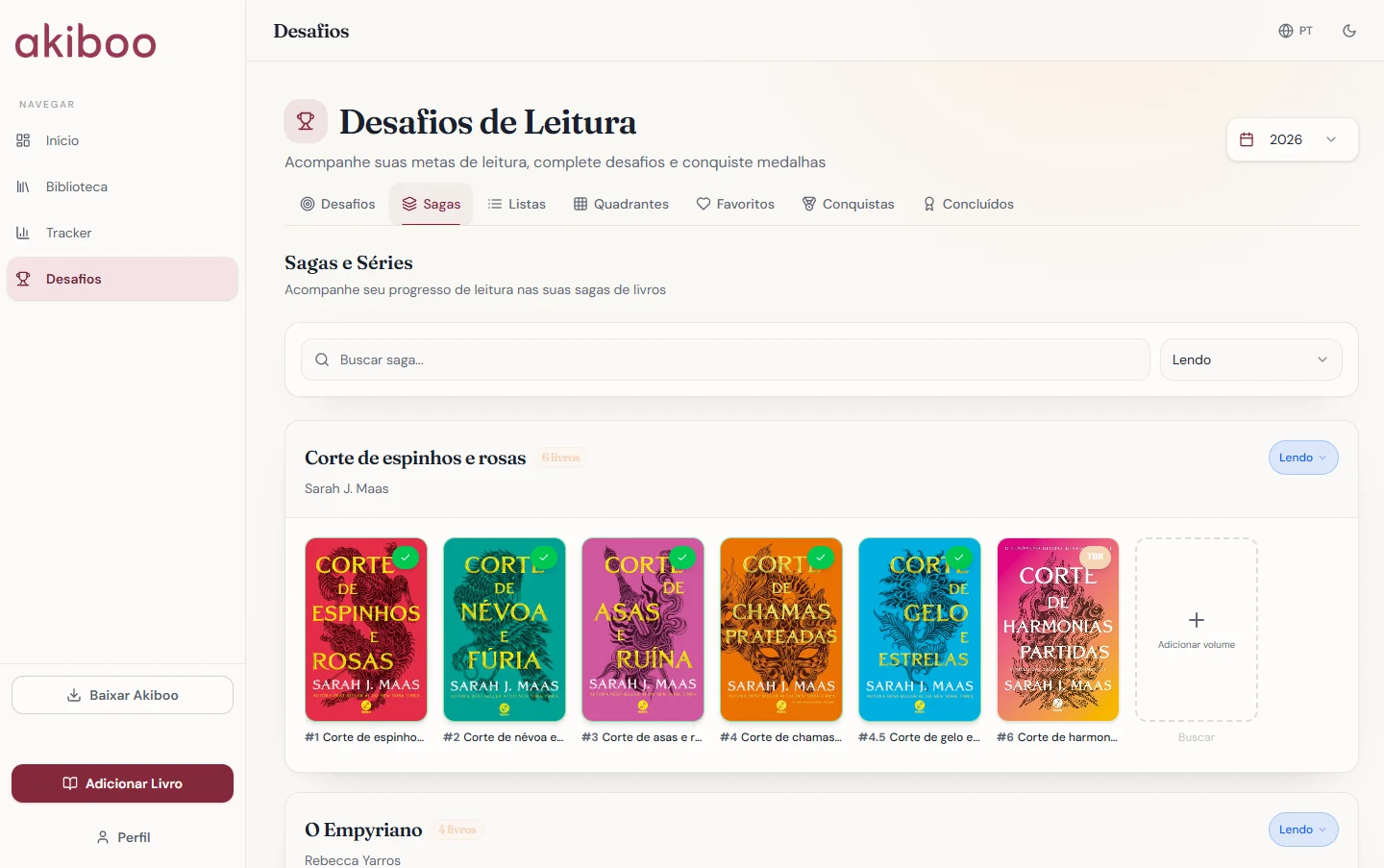
When you add a book, fill in the Series and Volume fields: the saga is created automatically. Under Challenges, open Sagas to see your series grouped together. The screen shows the volumes and lets you follow the whole set without searching for each book separately in your library. Use the saga search to find a specific series.
2. Check the volumes in your collection
Make sure the books are linked to the right series and volume. If a title is outside the expected group, review its details in your library. Special editions, novellas and in-between volumes may need a careful check of the name and numbering.
3. Track the series status
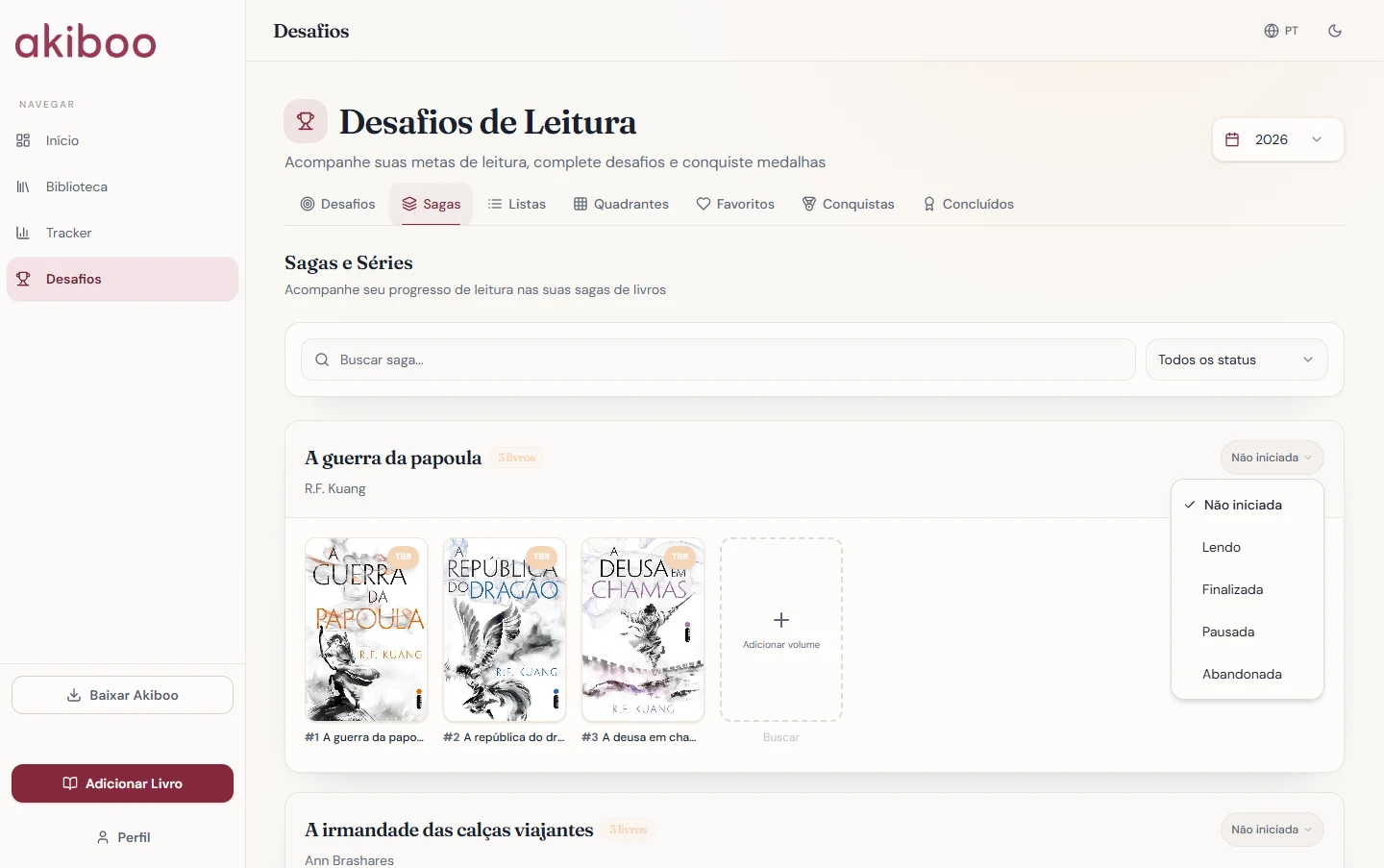
The series menu lets you mark states such as Not started, Reading, Finished, Paused or Abandoned. Choose the one that reflects where you stand with the series right now. Pausing a saga can help you tell apart the series you plan to return to from the ones you’re reading now.
Organization for long series
Before buying or starting the next volume, check the saga and confirm the books you’ve already added. The grouping organizes your records; it shouldn’t be treated as a complete bibliography of every release. To decide on the reading order, also check the edition or publisher information.
Use Akiboo your way.
Start with your next read and explore the features at your own pace. See the free and Premium features in the plans.