
Premium feature
Challenges, Sagas, Lists, Grids, Favorites and Finished are Premium only. The Achievements tab is also available on the free plan. Learn about Premium.
1. Open Favorites under Challenges
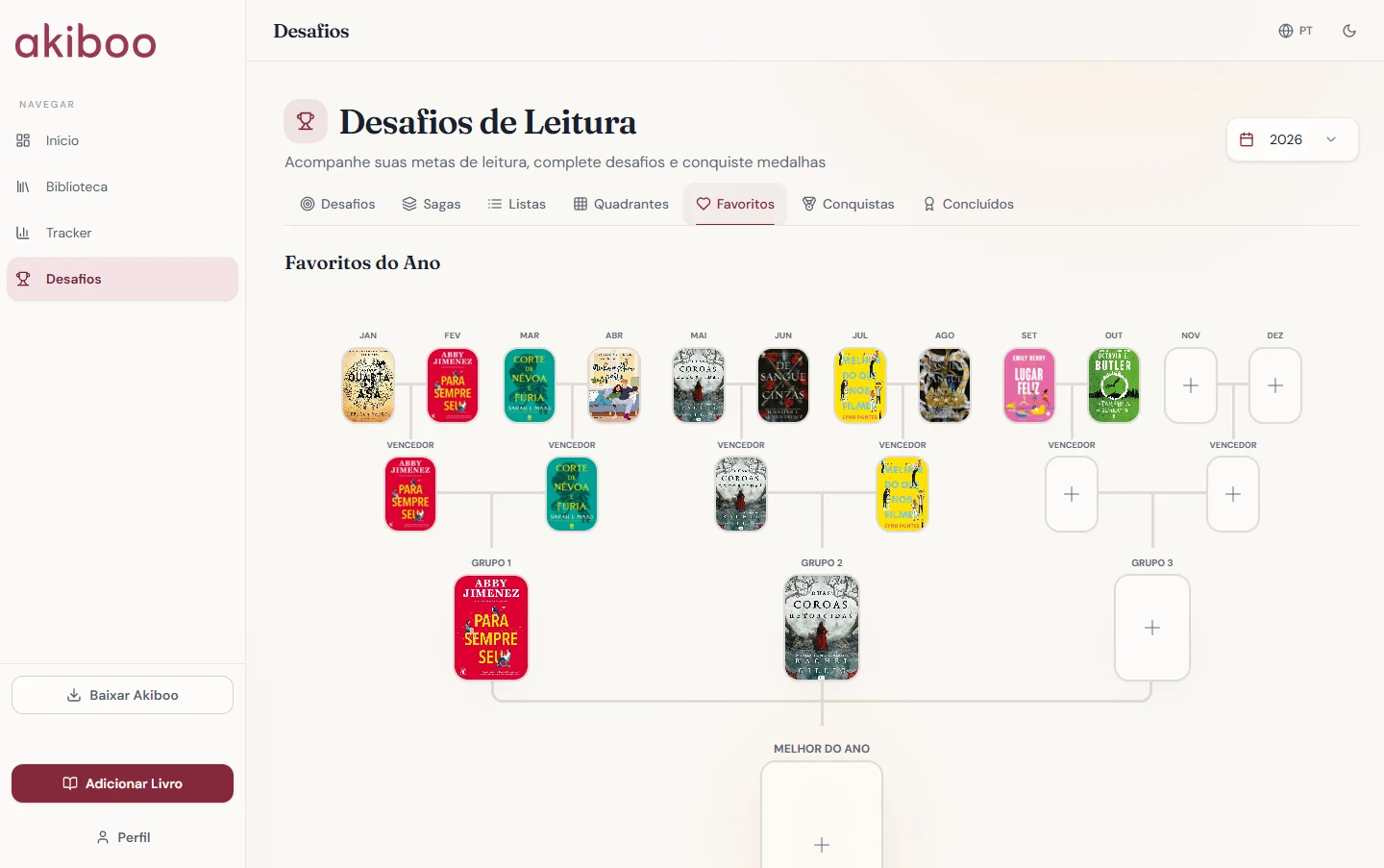
The Favorites tab shows the year’s picks in a visual layout. Check the year before you start, especially if you’re organizing older reads. The recap works best when the books and dates in your library reflect the period you want to revisit.
2. Choose your monthly highlights
Review each month’s reads and select the ones that stayed with you most. A favorite doesn’t have to be your highest rating: a story may have stuck with you because of the stage of life you read it in, a character or a conversation it sparked. Use a personal, consistent criterion.
3. Compare your picks across the year
The screen brings together the months and the recap’s head-to-head matchups. As you organize your picks, you can revisit the highlights and follow the selection of your favorite of the period. If you didn’t read in a given month, leave it until there’s a read you want to represent there.
What to keep alongside the recap
A short note about each favorite can help you remember why you chose it. You can also gather quotes and visual references in the book’s entry, depending on your plan’s features. When sharing a screenshot of the recap, make sure your email or other personal information isn’t visible.
See it in the app
Real demos, silent and looping, with pauses shortened to make them easier to follow.
Choose a month’s favorites
In the recap, open a month to see its reads and choose your highlight. Check the selected year before organizing your favorites. This is a Premium feature.
Use Akiboo your way.
Start with your next read and explore the features at your own pace. See the free and Premium features in the plans.