
Premium feature
Challenges, Sagas, Lists, Grids, Favorites and Finished are Premium only. The Achievements tab is also available on the free plan. Learn about Premium.
1. Choose a template or start from scratch
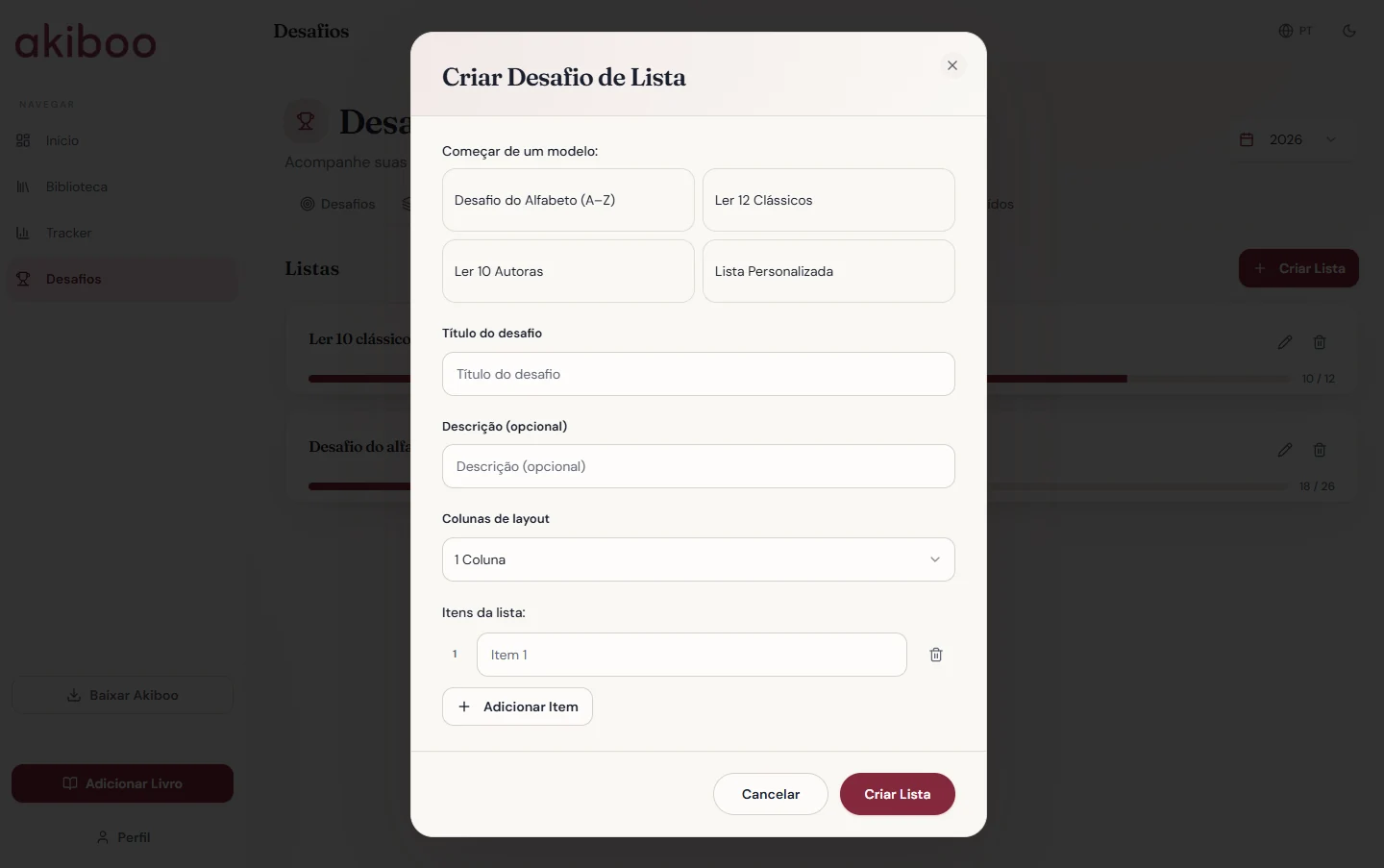
In the Lists tab, open Create List. The screen offers templates and a custom list option. A template helps when you want to start with a ready-made idea; your own list works for vacation reads, books on your shelf or book club picks.
2. Name it and organize the items
Choose a title that explains the purpose, like Reads for this semester. The description is optional and can hold your rules. Set the number of columns and review the items before creating it. A short list with clear criteria is usually easier to follow than lots of similar categories.
3. Link books to the items
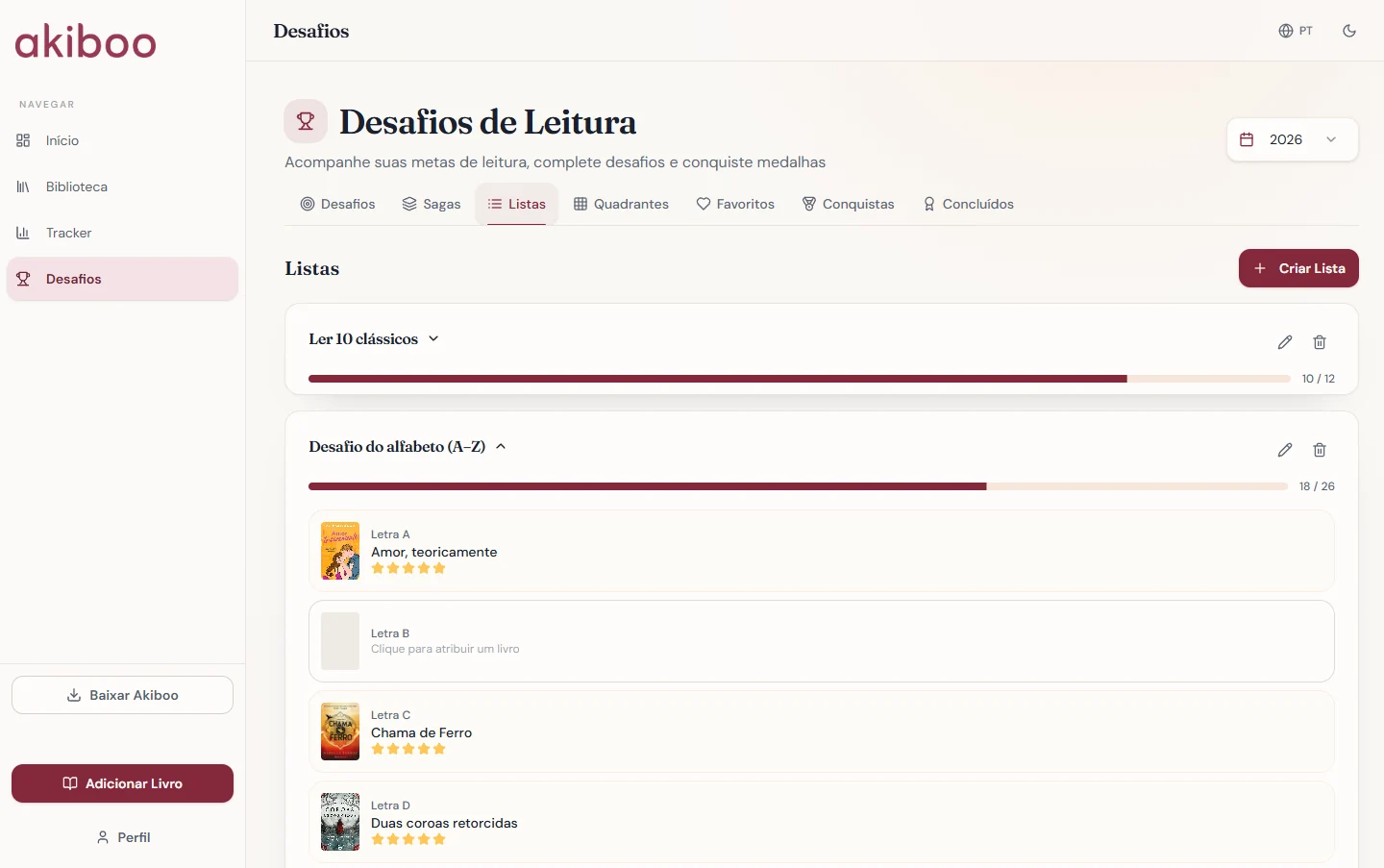
In the list you created, use the available actions to link your books to the items. Check each link so you don’t mark a title just because its name is similar to what you were looking for. Use your library as a reference and keep your picks in line with the rules you set for the list.
Ideas for your first list
Try five books you own but haven’t read, three authors you want to discover or a book club selection for next quarter. You can also build a list around a theme. Decide whether rereads count and what the deadline is; if there’s no deadline, keep the list as a collection to browse whenever you like.
See it in the app
Real demos, silent and looping, with pauses shortened to make them easier to follow.
Choose a template and create a list
Choose a template or a custom list. Fill in the title, adjust the items and check the setup before creating it. Lists are part of Premium.
Link a book to the list
Open the book picker on a list item, search for the title in your library and confirm your choice. Check the link to keep your list organized.
Use Akiboo your way.
Start with your next read and explore the features at your own pace. See the free and Premium features in the plans.